Agent-ready data pipelines are not just ETL with a new label. They are pipelines designed so AI agents can retrieve the right context, understand it quickly, and avoid hallucinations. If you have 1–3 years of data engineering experience and you want to build reliable AI systems, this guide gives you a practical, end-to-end blueprint.
We will use one running example throughout: a SaaS company’s customer support knowledge base (tickets, internal runbooks, product docs). The goal is to help an AI support agent answer customer questions using Retrieval-Augmented Generation (RAG).
Primary keyword: agent-ready data pipelines. Secondary themes: AI data preparation, LLM data pipelines, RAG data engineering, AI hallucination prevention, data enrichment for AI agents.
What Does "Agent-Ready Data" Really Mean?
Agent-ready data is data that is structured, clean, and contextualized so an AI agent can retrieve it with minimal ambiguity. It is not enough for data to be “in the warehouse.” An AI agent needs:
- Chunked, searchable content instead of long blobs.
- Consistent metadata (source, owner, freshness, permissions).
- Clear entity definitions (what is a “customer,” “ticket,” “plan,” “refund”).
- Quality checks so stale or conflicting data does not confuse the model.
In our support example, agent-ready data means that troubleshooting steps are easy to locate, have versioned timestamps, and are tied to the exact product version and customer plan.
How AI Agents Consume Data
AI agents typically use a RAG flow:
- User asks a question.
- The system retrieves relevant snippets from a vector index or search store.
- The LLM uses those snippets as context to generate a response.
If the retrieved data is messy, the agent’s answer will be too. The pipeline is what makes the difference between “looks right” and “is right.”
In practice, retrieval often includes filters, re-ranking, and query rewriting. Filters ensure the agent only searches what it is allowed to see (for example, “internal only” runbooks). Re-ranking improves relevance by scoring the top results more carefully. Query rewriting expands a vague question into clearer search terms. These are not model tricks; they rely on clean metadata and consistent data preparation, which is why agent-ready data pipelines matter so much.
Diagram: Basic agent-ready data pipeline (ingestion → cleaning → enrichment → indexing → retrieval)
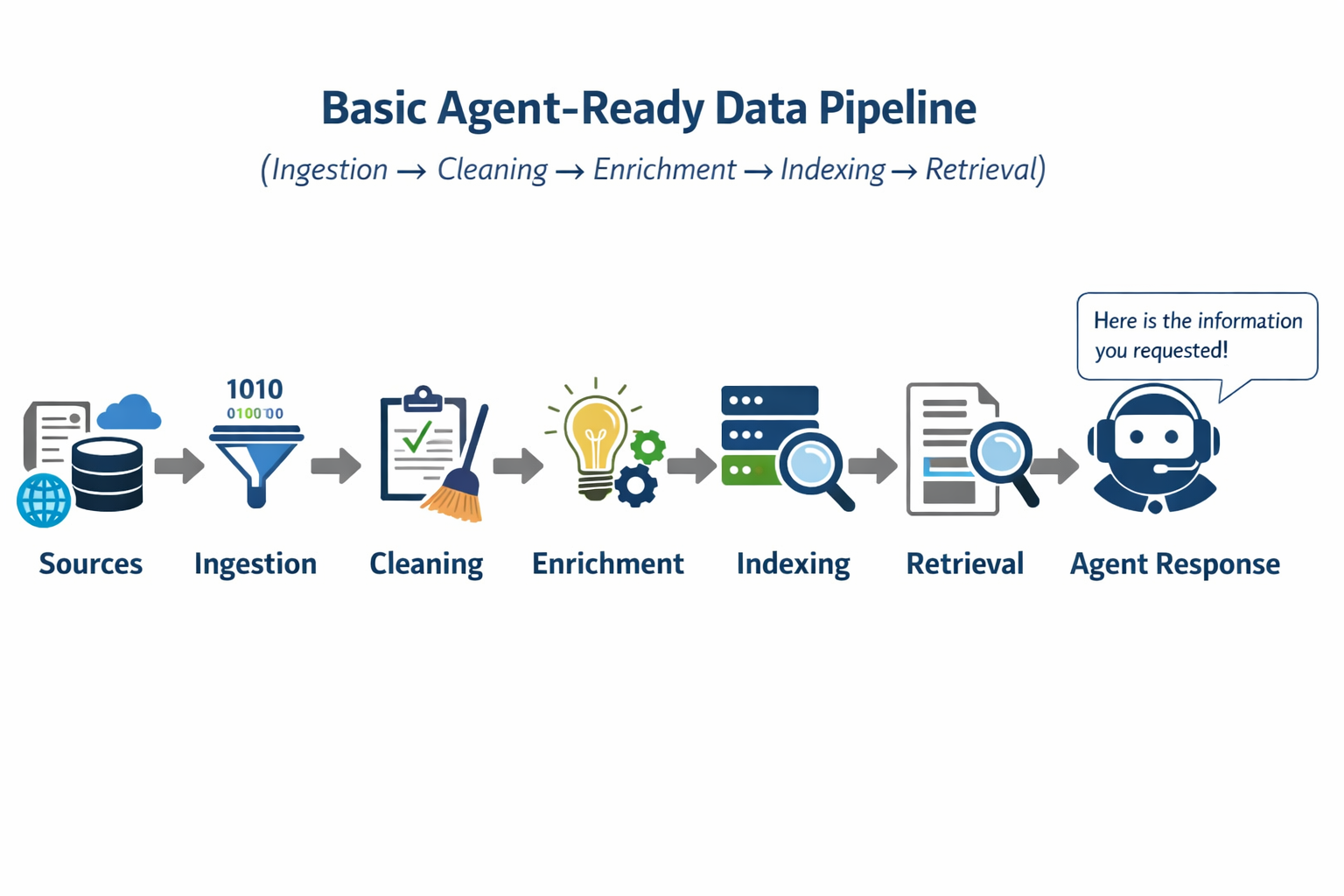
Sources --> Ingestion --> Cleaning --> Enrichment --> Indexing --> Retrieval --> Agent Response
Diagram: How an AI agent retrieves and uses prepared data
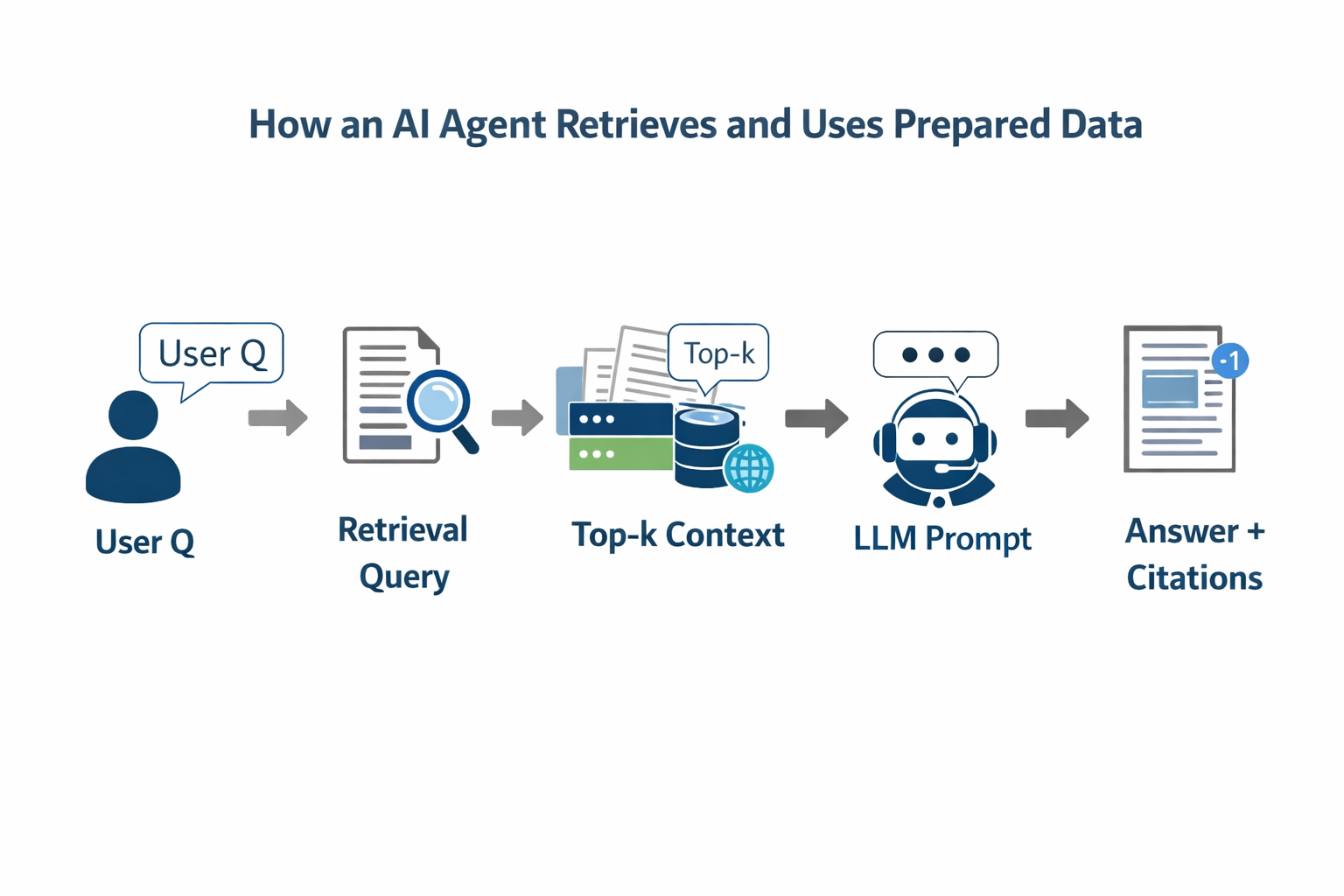
User Q --> Retrieval Query --> Top-k Context --> LLM Prompt --> Answer + Citations
These are simple text versions of what would typically be drawn in Excalidraw, but the sequence is the same.
Common Data Problems That Cause Hallucinations
Hallucinations are often data problems, not model problems. Common issues include:
- Conflicting sources: Two docs say different things about refund policy.
- Stale content: Old runbooks stay indexed after process changes.
- Missing metadata: No product version or plan attached to a doc.
- Noise and boilerplate: Repeated headers dominate relevance scoring.
- Lack of grounding: Retrieved text lacks direct answers or facts.
In our example, if the “refund policy” doc was updated last month but the index still contains last year’s version, the agent will confidently give the wrong policy.
Designing a Basic Agent-Ready Pipeline
Start with a pipeline that is simple, observable, and repeatable. A good beginner pipeline has five stages:
- Ingestion (docs, tickets, knowledge base)
- Cleaning (remove junk, normalize formats)
- Enrichment (add metadata and business context)
- Indexing (chunking + embeddings)
- Retrieval validation (ensure search is working)
For the SaaS support example, this might look like:
- Pull ticket data from your helpdesk API nightly.
- Pull internal runbooks from Confluence or GitHub weekly.
- Normalize Markdown/HTML into clean text.
- Tag each doc with product version, team owner, and last updated.
- Chunk into ~500–800 token segments with stable IDs.
Cleaning and Structuring Unstructured Data
Cleaning is the work that makes the rest possible. Practical steps:
- Strip boilerplate: repeated nav bars, headers, footers.
- Normalize whitespace and line breaks.
- Split by logical sections: headings become natural chunk boundaries.
- Deduplicate content: remove near-identical copies.
A simple cleaning step might turn this:
HEADER: Internal Docs
...
Refund Policy v1.2
... (content) ...
FOOTER: Confidential
Into this:
Refund Policy v1.2
(content)
For LLM data pipelines, clarity and concision matter more than “perfect formatting.”
Adding Metadata and Business Context
Metadata is how you tell the agent what matters. Minimal metadata for each chunk should include:
source(helpdesk, runbook, product docs)updated_atowner_teamproduct_versionaudience(internal vs external)
In our support example, attaching product_version=3.8 means the agent won’t pull steps for version 3.5. Adding audience=internal helps filter out internal-only content when answering customers.
This step is what moves you from AI data preparation to true agent-ready data pipelines.
Preparing Data for Retrieval Systems
The retrieval layer is where RAG systems win or fail. Key steps:
- Chunking: 500–800 tokens per chunk is a good baseline.
- Stable IDs: so you can update or delete chunks cleanly.
- Embeddings: choose a reliable embedding model and keep it consistent.
- Index refresh strategy: incremental updates reduce stale data.
A bad pipeline indexes whole documents as single chunks. An improved pipeline chunks and indexes each section with metadata.
Bad pipeline (what not to do):
Ingest everything -> Dump into index -> Hope retrieval works
Improved pipeline:
Ingest -> Clean -> Split by heading -> Add metadata -> Embed + Index
This simple shift drastically reduces hallucinations because the agent retrieves small, accurate, and relevant context.
Validating Data Before It Reaches Agents
Validation is the guardrail. Add checks such as:
- Freshness checks: if
updated_atolder than 90 days, flag. - Coverage checks: top FAQs must exist in the index.
- Retrieval tests: for 10–20 common questions, ensure the top result is correct.
Here is a lightweight pseudo-code example:
questions = [
    "How do I reset a password?",
    "What is the refund policy for annual plans?",
]

for q in questions:
    results = retrieve(q, top_k=3)
    assert "refund" in results[0].text.lower()
These small tests often catch issues that would otherwise show up as hallucinations in production.
A Simple End-to-End Example
Let’s make it concrete with the SaaS support knowledge base:
- Ingestion: Pull Zendesk tickets + GitHub runbooks nightly.
- Cleaning: Remove HTML boilerplate and ticket signatures.
- Enrichment: Attach product version and team ownership.
- Indexing: Chunk by headings and embed.
- Validation: Run 15 test queries against the index.
Example output chunk:
chunk_id: runbook-refund-policy-3.8-002
source: runbook
product_version: 3.8
updated_at: 2026-01-15
text: "Refunds for annual plans are prorated based on usage..."
With this structure, when a customer asks about refunds, the agent retrieves the exact relevant chunk, rather than a stale or unrelated paragraph.
Next Steps Toward Advanced Pipelines
Once your beginner pipeline is working, consider:
- Data lineage tracking so you can trace where each chunk came from.
- Automated monitoring (retrieval quality scores over time).
- Role-based access control for sensitive data.
- Multi-index strategies (separate indexes for product docs vs support tickets).
These are the foundations of more advanced RAG data engineering, but you can start with the pipeline above today.
If you want a quick checklist, here is the short version:
- Clean and normalize unstructured data.
- Add metadata that tells the agent what the data means.
- Chunk consistently and index with stable IDs.
- Validate retrieval before shipping.
That is the core of agent-ready data pipelines. With a clean pipeline, AI agents become reliable, not lucky.